How the evidence is gathered.
Assessing consumer-protection risk means documenting what a site actually does: the trackers that fire, the verbatim representations before they're scrubbed, the consent UX as a user meets it — with chain of custody on every artifact so the record holds up later. Public Vector automates that work at scale and seals the output into a citable PDF. This walkthrough shows how, end to end.
Quick Scan — vet one defendant in 30 seconds
For the moment a referral lands and you need to know whether the defendant has a real footprint.
Paste a URL. Public Vector returns the basics: which trackers are firing on the homepage, what categories they fall into — analytics, advertising, identity resolution, session replay — and an arbitrage gap score that compares what the site is doing to what its privacy policy actually discloses. Same tracker-detection pipeline that powers the dashboard and the agent, smaller scope.
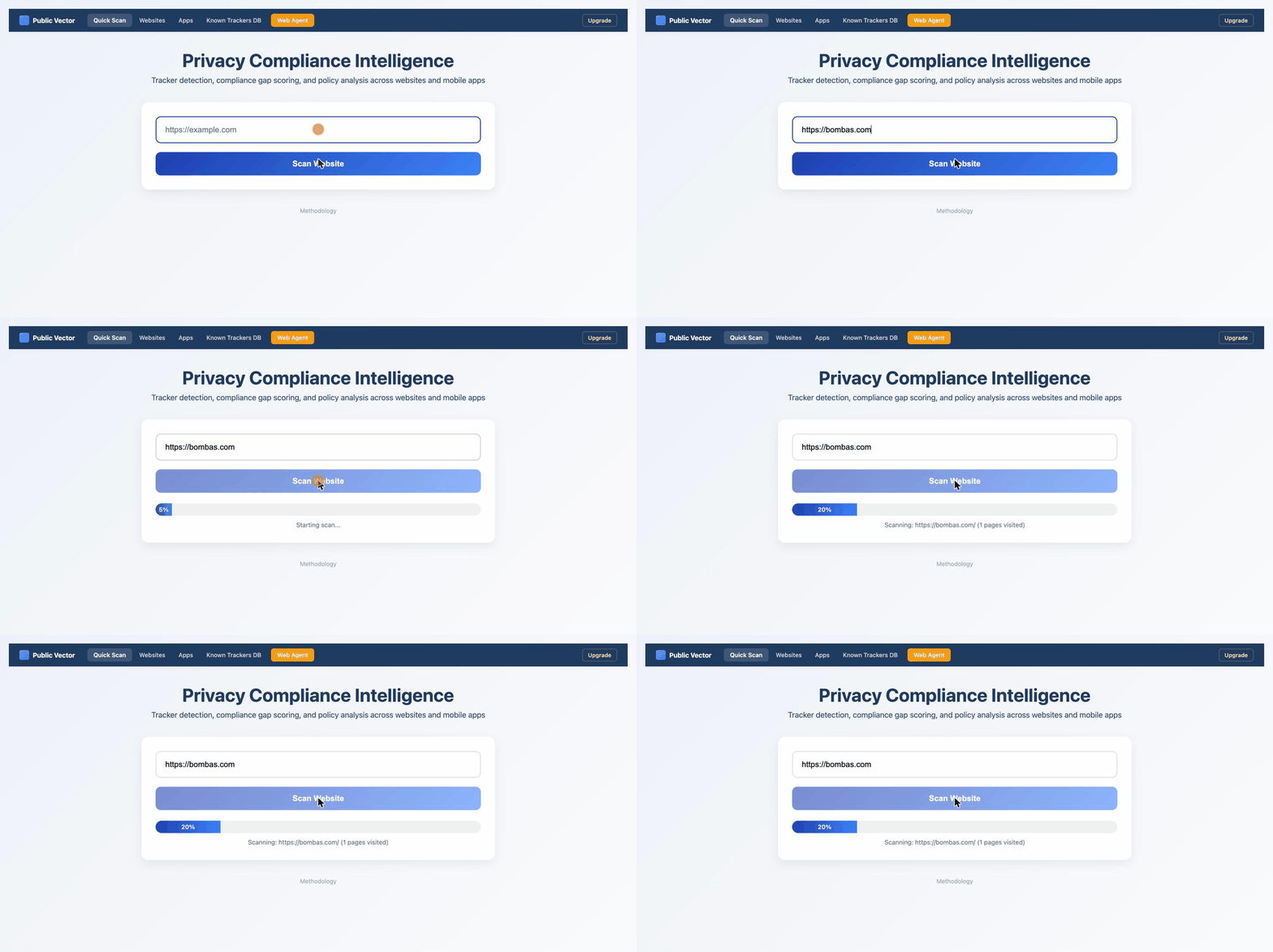
What you'll see: Paste bombas.com, the scan
kicks off, tracker detection runs in the background. Final result lands in
30–90 seconds with the full tracker inventory and arbitrage gap.
Dashboard — 100,000 defendants, pre-audited
The haystack-to-needle tool for finding cases you didn't already know you had.
Every defendant in the dashboard carries an arbitrage gap score between zero and one, measuring the distance between what the site does and what it discloses. Filter by industry, by minimum gap, by tracker category — anyone running session replay, syncing identifiers to a data broker, firing a Meta Pixel on a HIPAA-adjacent flow, or burying a class-action waiver in unconscionable ToS. The remaining list is your case-discovery shortlist. Click any row for the detail drawer: every third-party recipient, PII capability flags, ToS provisions classified.
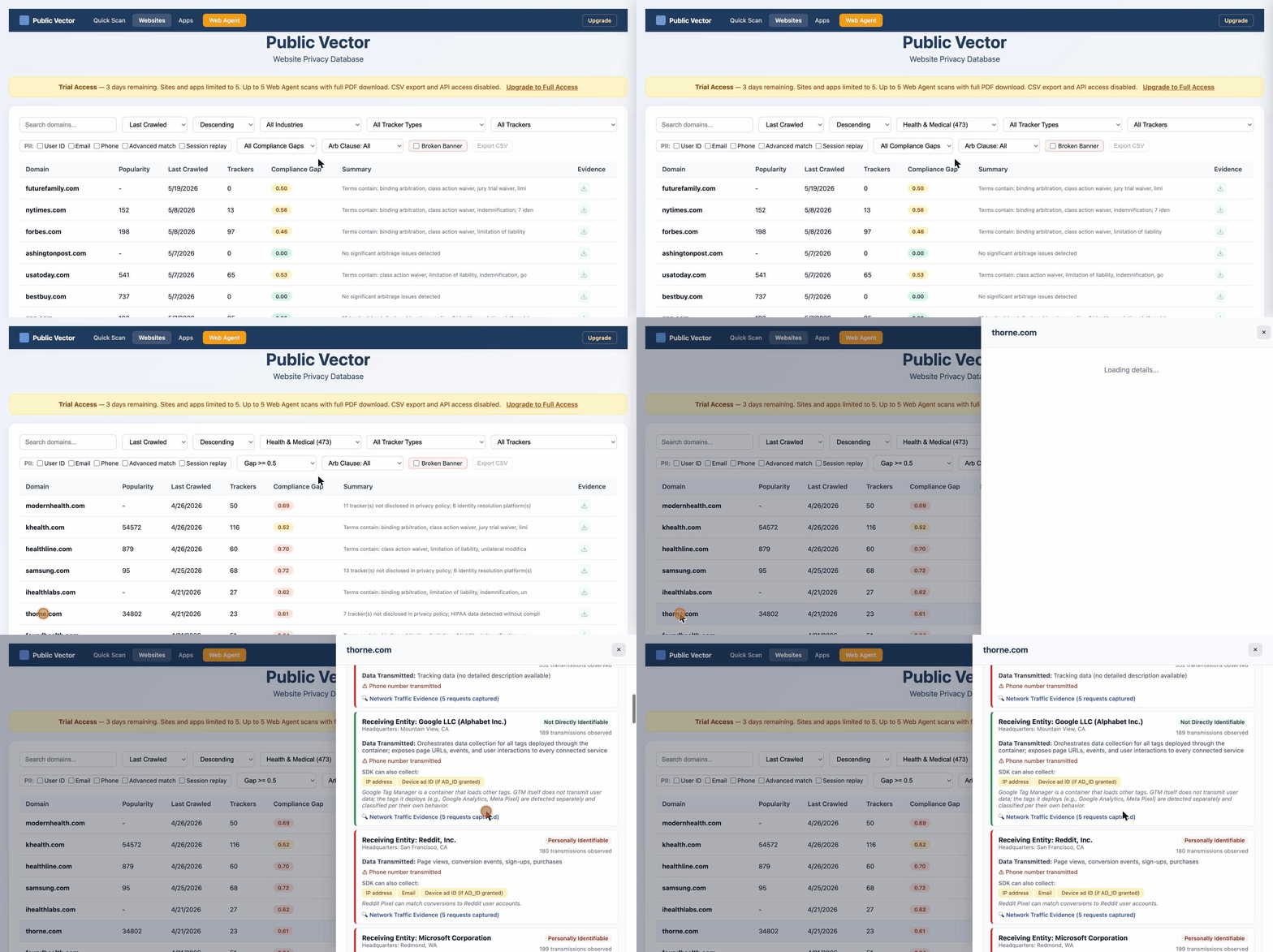
What you'll see: Industry → Health & Medical, Gap ≥ 0.5, Tracker = LiveRamp. List narrows to the highest-leverage candidates. One click opens the defendant drawer with 25+ third-party recipients and ToS classification.
Web Agent — go deeper on the defendants you pick
For defendants the dashboard's pre-audit doesn't cover — or doesn't cover deeply enough.
Point the agent at any defendant's domain. Pick the case-line buckets you're hunting — false advertising, FDA approval, fake-sale pricing, subscription auto-renewal, browsewrap-defective consent. The agent drives the site under FRE 901 chain of custody. The network listener captures every tracker firing across every page (including popups), the representation extractor flags verbatim language matching your buckets, and every binding moment — submit buttons, checkout submits — gets a wrap-evidence capture with annotated overlay and fold distance to the nearest ToS link. Ten minutes per defendant. Roughly $0.20 in agent runtime.
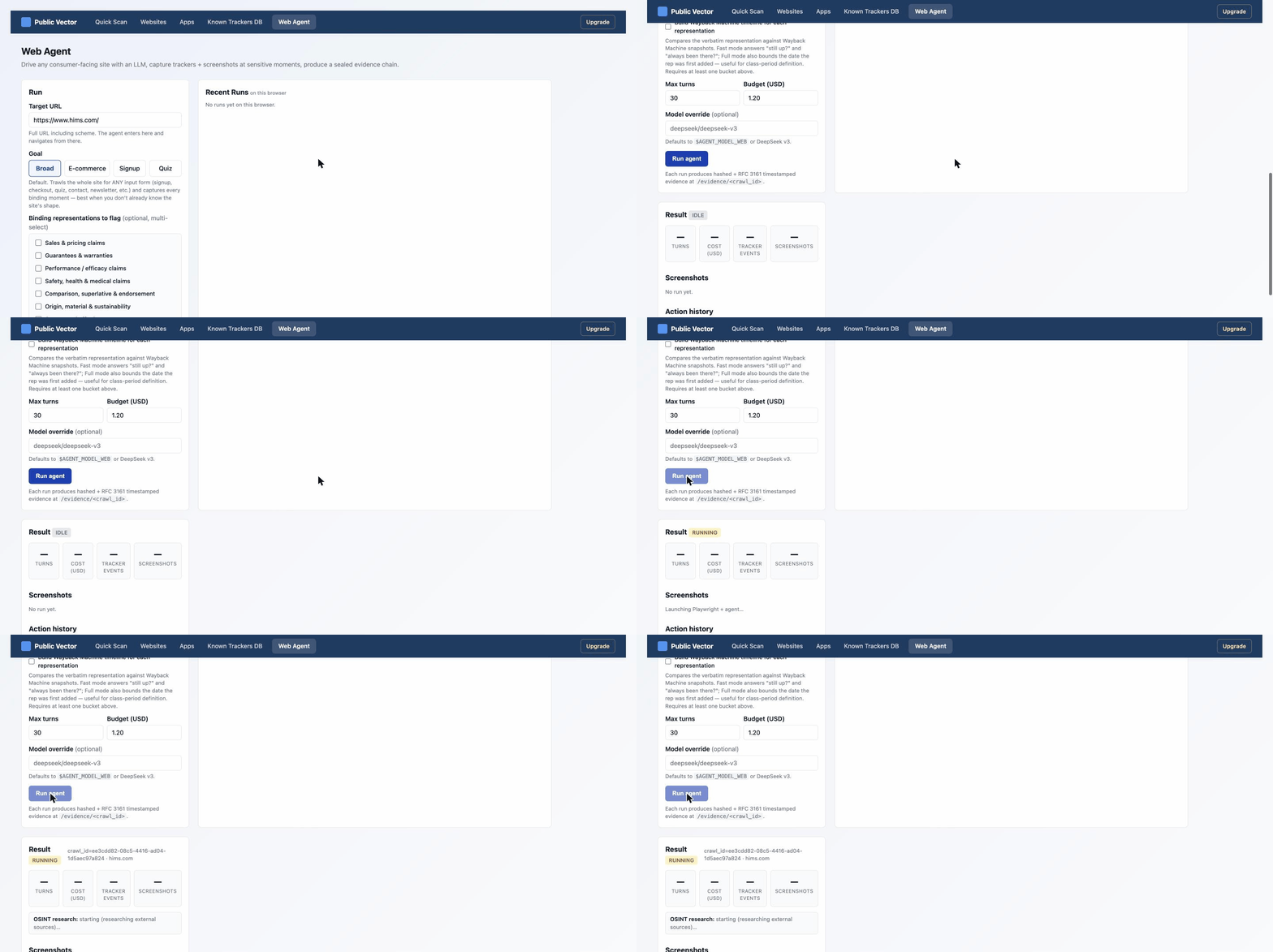
What you'll see: Point the agent at hims.com,
select claim buckets (pricing, safety/health, subscription), launch, and
watch screenshots, tracker events, and wrap-evidence captures populate
in real time. Run ends with a PDF download button.
The sealed PDF — file-ready evidence
What every Quick Scan, dashboard drill-down, and agent run actually produces.
The deliverable is a sealed PDF you drop into a complaint, an opposition brief, or a class-cert backup record. Defendant identification with registered agent and OSINT-derived corporate footprint. Consent overlay with measured fold distance. Wrap classification with circuit-by-circuit case-law alignment. Verbatim representations with Wayback-anchored class periods. Sensitive transmissions captured from the network log. Methodology and chain-of-custody appendix surface scope limits honestly — where the agent couldn't reach (login walls, paid checkouts, captcha boundaries) is named in the record. Every artifact carries a SHA-256 hash and RFC 3161 third-party timestamp.
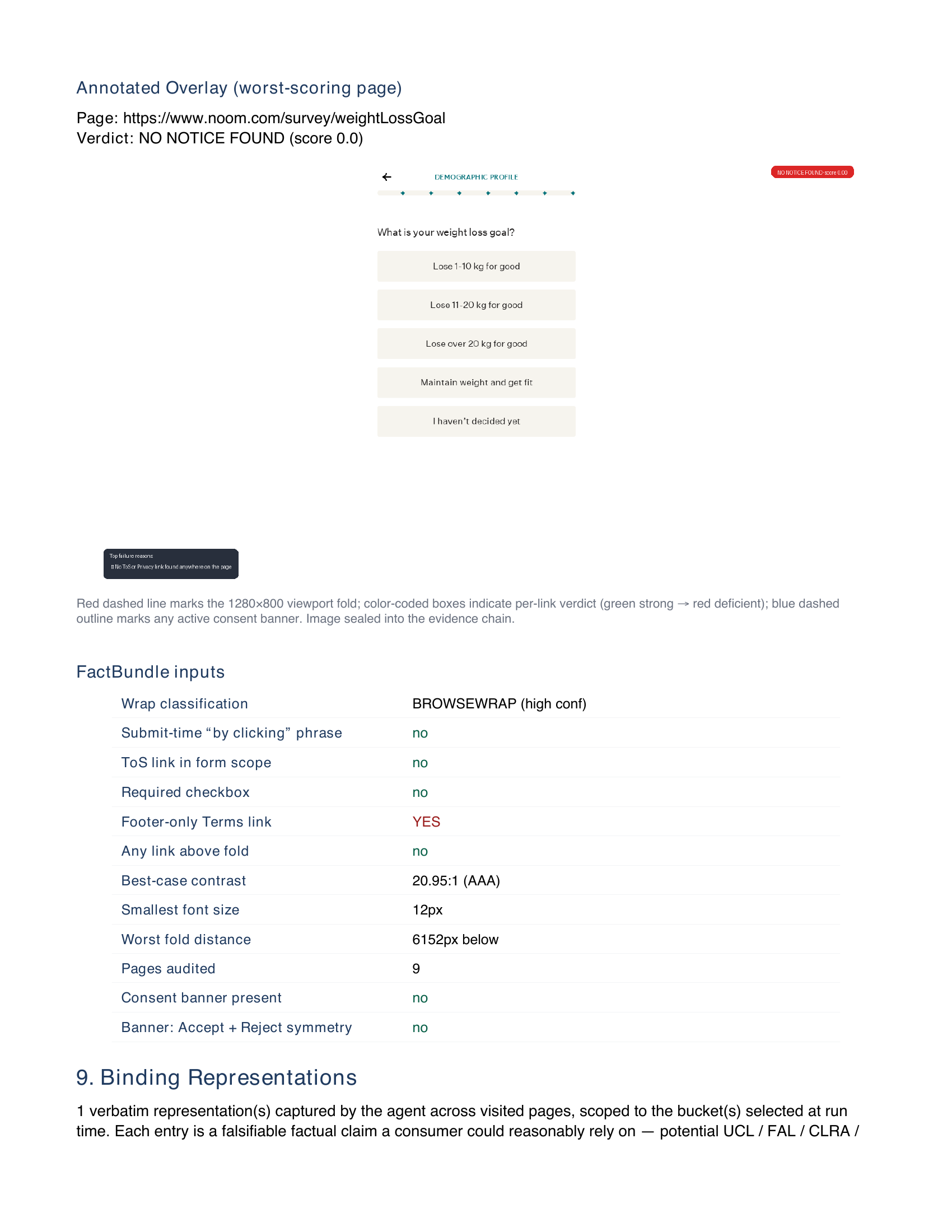
What you'll see above: a real page from the noom.com sealed
audit — the §8 FactBundle classifying noom's signup-survey ToS link as
BROWSEWRAP at high confidence, with 6,152 px measured fold
distance to the nearest ToS link, footer-only Terms placement, and no
submit-time acknowledgment. The full 20-page report is downloadable below.
FAQ
Where does the data come from?
Every fact is first-party. Our agents operate the defendant's live public
site and capture the network requests, verbatim marketing representations,
and consent UX exactly as they served — nothing licensed from data brokers,
nothing scraped second-hand. Each artifact is hashed at the moment of
capture.
What can and can't the agent reach?
The agent operates the public-facing surface of every defendant — landing
pages, signup flows, checkout up to payment, marketing copy, consent UX.
It does not cross payment screens, login walls, paywalls, email/SMS
verification, or captchas. Every report names its scope honestly so you
know exactly what's been captured before you rely on it.
How is the evidence preserved?
Every artifact — screenshots, HAR network captures, policy snapshots —
carries a SHA-256 hash and an RFC 3161 third-party timestamp, bundled into
a sealed PDF with an FRE 901 chain-of-custody appendix. Drop it straight
into a complaint or class-cert backup record.
Read today's docket before you decide anything.
The Daily Vigilance Briefing is published every morning and free to read: new consumer class actions sorted by nature of suit with the filing firm on each, this week's rulings, and what's settling and for how much. The searchable database behind it is open too — look up a defendant or a practice area and see what cases like it recovered.
Read today's briefing Search the database $49/month founding rate for the daily report to your inbox — cancel anytime from the Stripe portal.